Report Writing for Penetration Testers
The requirement in OSCP is to write a report describing the exploration process of each target. You need to document each attack including all steps and commands issued as well as the console output in the form of a penetration test report. Documentation should be thorough enough that attacks can be replicated step-by-step by a technically competent reader.
- Include every command in text
- Include a screenshot of every command
Make sure to stop and read through the documentation a couple of times over before submitting the report. Take your time.
Make sure the steps you do in the exam are as reproduce-able as possible. If there's some custom code, it will need to be included in the report otherwise it's not applicable. Someone of average technical skill needs to be able to replicate the attacks using the documented steps.
Remember you're better off overdocumenting rather than underdocumenting.
Exploit code
If you've not made modifications to an exploit, only provide the URL where the exploit can be found. Do not include the full unmodified code especially if it's several pages long. Essentially they don't want you to show random code that's been fired off from Github as that woudn't be acceptable in an IRL environment.
- The modified exploit code
- The URL to the original exploit code
- The command used to generate any shellcode (if applicable)
- Highlighted changes made to any tools or exploits
- An explanation of why those changes were made
Environment Variables
Document any environment variables you created.
If you created some environment variables you rely on and call them something like "target" or "IP" then you have to show this.
Exam Proofs
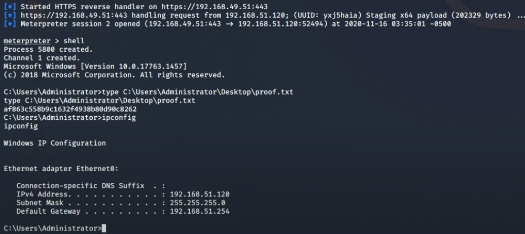
The objective is to exploit each of the target machines to provide proof of exploitation. Its best to get screenshots of both local and proof.txt files for each machine, failure to show proof.txt file content screenshots results in a fail.
This must be a web shell, you cannot pass if you obtain proof.txt any other way (so make sure to have a full, interactive shell)
On Windows you need to have a shell running as the SYSTEM or Administrator user, or a user with Administrator privileges. Make sure you have screenshots that clarify this too.
On Linux targets, you must have a root shell to receive full points.
Ensure you submit flags in the control panel too.
Screenshot Requirements
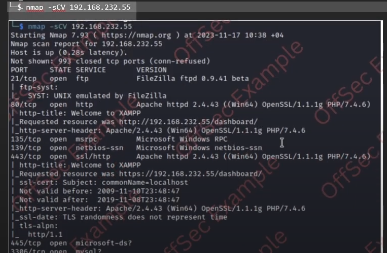
Each local.txt and proof.txt needs to be screenshotted as well as the IP address of the target by using ipconfig, ifconfig or ipaddr.
Exam Restrictions
None of the following can be used
- Spoofing
- Commercial tools (Metasploit Pro, Burp Pro, etc)
- Mas vulnerability scanners (Nessus, OpenVAS, etc)
- AI Chatbots
Metasploit Restrictions
Use of Metasploit and the Meterpreter payload are restricted during the exam. You can only use Metasploit modules (Auxiliary, Exploit and Post) or the Meterpreter payload against one single target machine of choice.
No use of Metasploit after this whether the exploit works or not.
The Report
Take the report template and copy/paste the whole thing into Word/Libreoffice
Much of it is already filled in on the initial pages covering information gathering and objectives. Just change the exam network section to cover all of your IP addresses.

Explain initial access and provide explanation, severity and steps to reproduce.
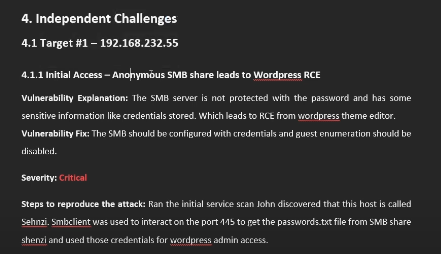
This is an example of how adding a code block along with a screenshot should be done.
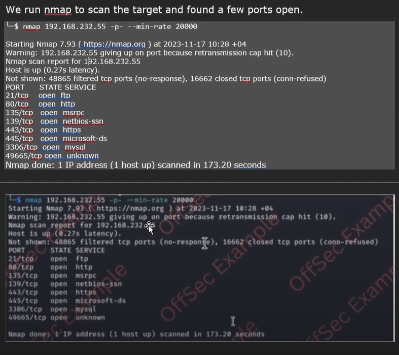
Another example here, so some flexibility on the codeblock.